Hi,
I’m trying to make strip plots from a 3D spectrum and assigned peaks in a 2D spectrum in AnalysisAssign v. 3.4.5 on MacOS Sequoia 15.7.9.
When I choose “use nmrChain” in the SP dialog I get all strips in order of ascending residue numbers, which is how I would like to have it. But all unassigned residues in the chain show up as blank strips that I need to remove manually.
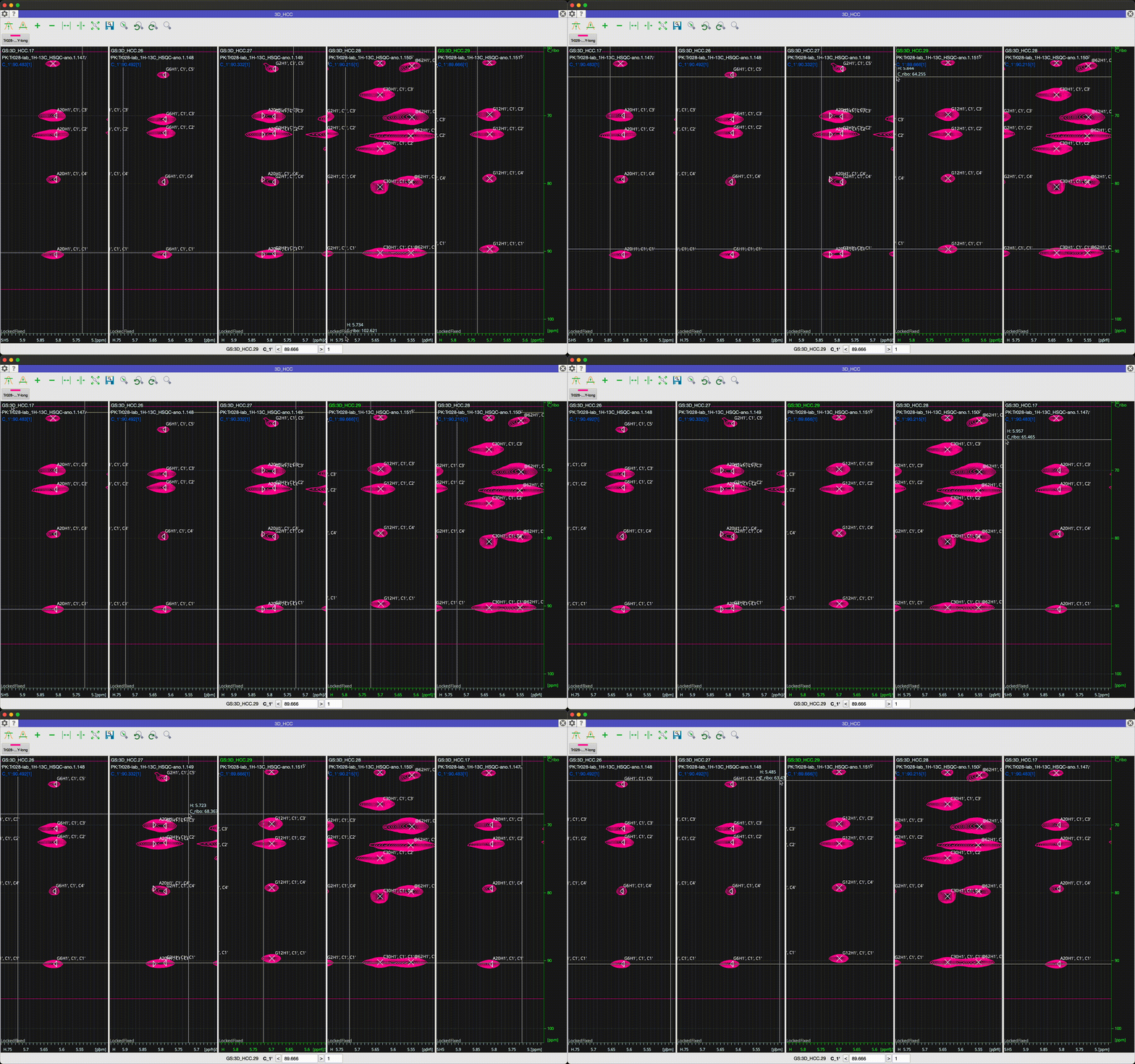
When I choose “use Peak selection” instead based on my assigned 2D, I get all the strips I want but they are out of order. According to the manual I should be able to move around the active strip by dragging and dropping its identifier. However, the dragged strip always shows up with a green plus icon next to the mouse cursor and dropping it makes a copy rather than move it, overwriting whatever strip is currently underneath.
Is this copy/move behavior a bug or should I be doing something differently?
sorry about this. A new feature was accidentally rolled out without being tested! And there are definitely some bugs lurking in there. I’m checking now whether we can withdraw the new feature or fix the bugs - not sure which is going to be easier/faster.
While I am definitely getting strange behaviour for the strip plotting (this is where we made changes), I am not coming across an issue with moving strips. Can you perhaps test this with a small number of strips and narrow down in which circumstances these issues arise?
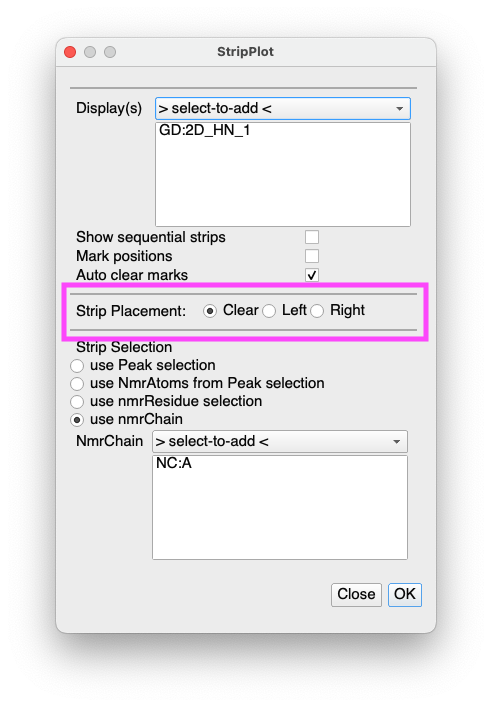
You can now choose where your strips are placed. So by default they will Clear the selected Display(s) as has been the behaviour in the past. But you can also select Left or Right in which case the strips will be added to the Display either left or right of the current strips. We hope this will be a useful feature for people. It means you can create strips from an NmrChain and then add strips from unassigned peaks in your HSQC to the display and then look for connections manually.
If a residue is completely unassigned, then it should no longer produce a strip with the nmrChain function. The behaviour around this could still be improved further, but that will be slightly more complicated (ideally you should be able to select a Chemical Shift List when using this function, for example!).
As I mentioned before, I still don’t find any bugs when moving strips. But note that the strip movement is independent of whether a strip is active. Simply select the strip ID and move it, regardless of which strip is active (i.e. has the highlighted axes and strip ID).
I hope this helps. Do let us know if you find any other bugs that we have missed.
Here is a screen recording that shows my main issue: For example trying to move the 2nd strip (residue G6) in front of the first (A20) at the end results in G6 getting duplicated and overwriting A20.
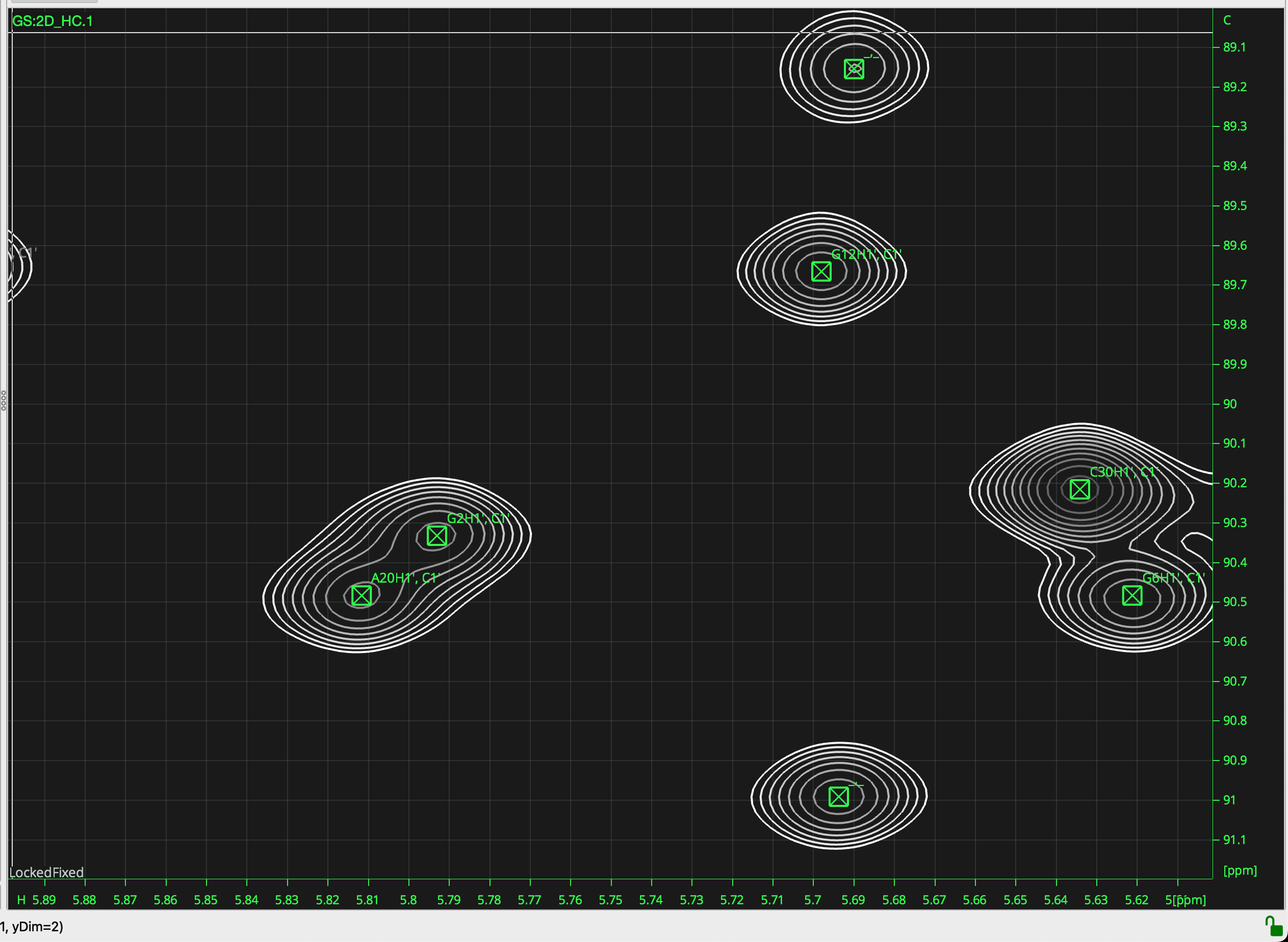
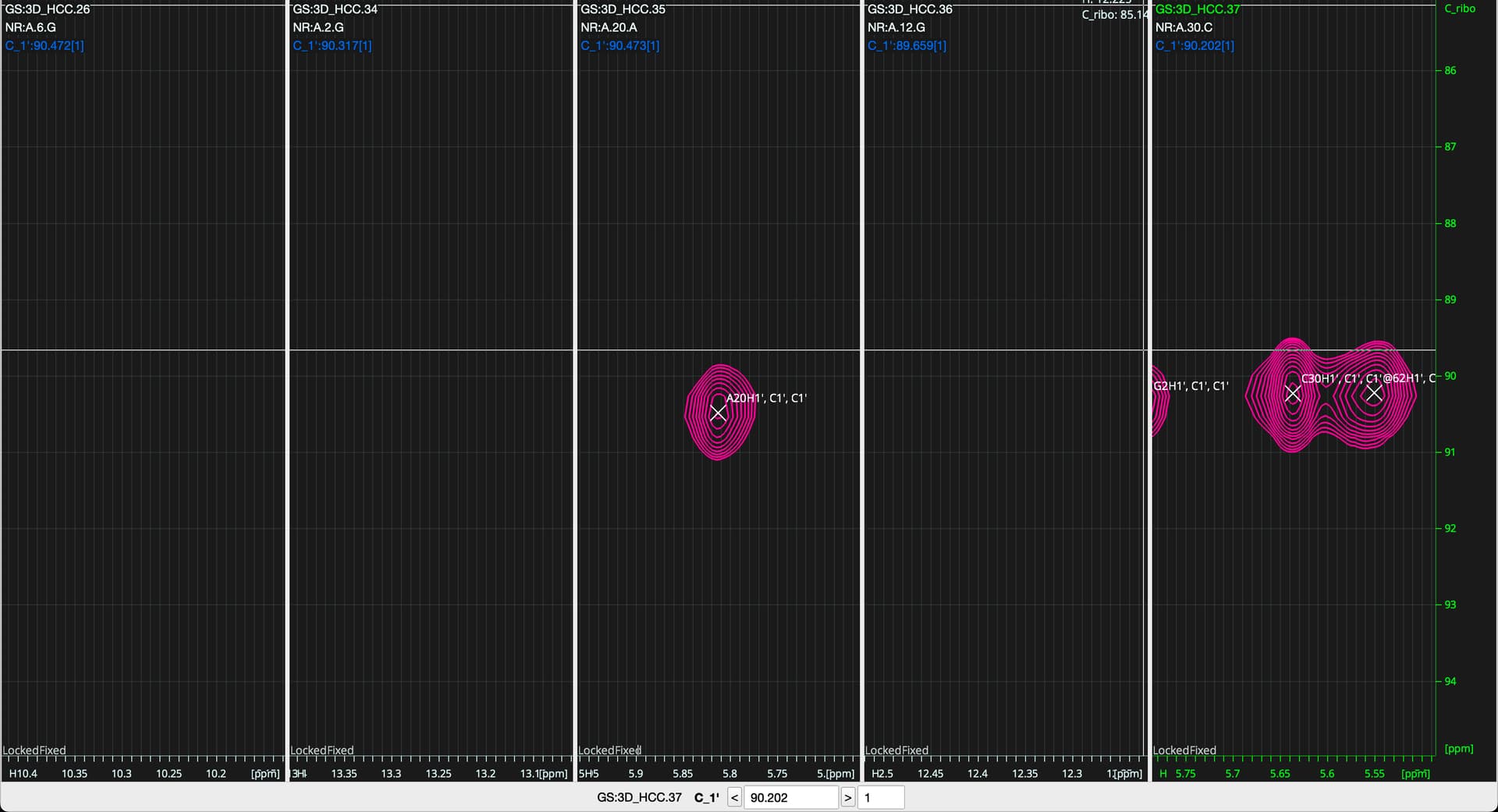
I downloaded the latest update and tried again. Something isn’t working quite right here (this is an RNA sequence). I made strip plots from the selected peaks in a C1’-H1’ HSQC spectrum with “use NmrAtoms from Peak selection”. I have selected 5 assigned peaks and 2 unassigned peaks for testing and I get 5 strips for the assigned ones, so far so good.
But the strips only show up correctly for adenosine and cytidine residues here. For guanosines the 1H chemical shift axis sits at >10 ppm when it should really all be around 5.7 ppm. It appears as though the H1’ somehow gets mistaken for H1 in G when creating these strips.
“Use nmrChain” gets everything in the correct order and does not produce empty strips from unassigned peaks anymore, but now has the same issue, all guanosines land in the wrong place, H1 instead of H1’.
When I choose “use nmrResidue selection” instead for creating the strips then it doesn’t work at all, it only shows a single strip for residue C29, which is not even among the ones I selected in the HSQC spectrum.
Appending strips one by one at the right side via “use Peak selection” works as intended and I can assemble everything in the correct order.