Hello,
I’m having an issue sharing a project with a colleague via NMRBox. When she opens it in her account, Analysis v3 crashes. In the command line there is a “Permissions Error” message. It seems that v3 is tracing the absolute path for the spectra back to my account in NMRBox, which my colleague does not have permission to read. Our preferred behavior would be for v3 to trace a relative path, so that I could just provide the folders and as long as we don’t move these around, v3 could find everything. Alternatively, v3 could ask the user to define the path. Another alternative is that I could change the permissions of my files, though I am a little uncomfortable with that option. Finally, we looked into the .ccpn folders and found text files with the path to the spectra. We could update those my hand, I suppose, but that seems tedious and error-prone.
I can’t be the only person sharing projects on NMRbox, so I wanted to ask the forum what the preferred protocol is.
Thanks,
Justin
Hi Justin
V3 definitely should not be crashing for this type of problem. Presumably your colleague can open projects of their own and display spectra OK? Asking to make sure it’s not some graphics display issue that’s specific to their setup. Also could you send us the traceback from the terminal window where the error is showing.
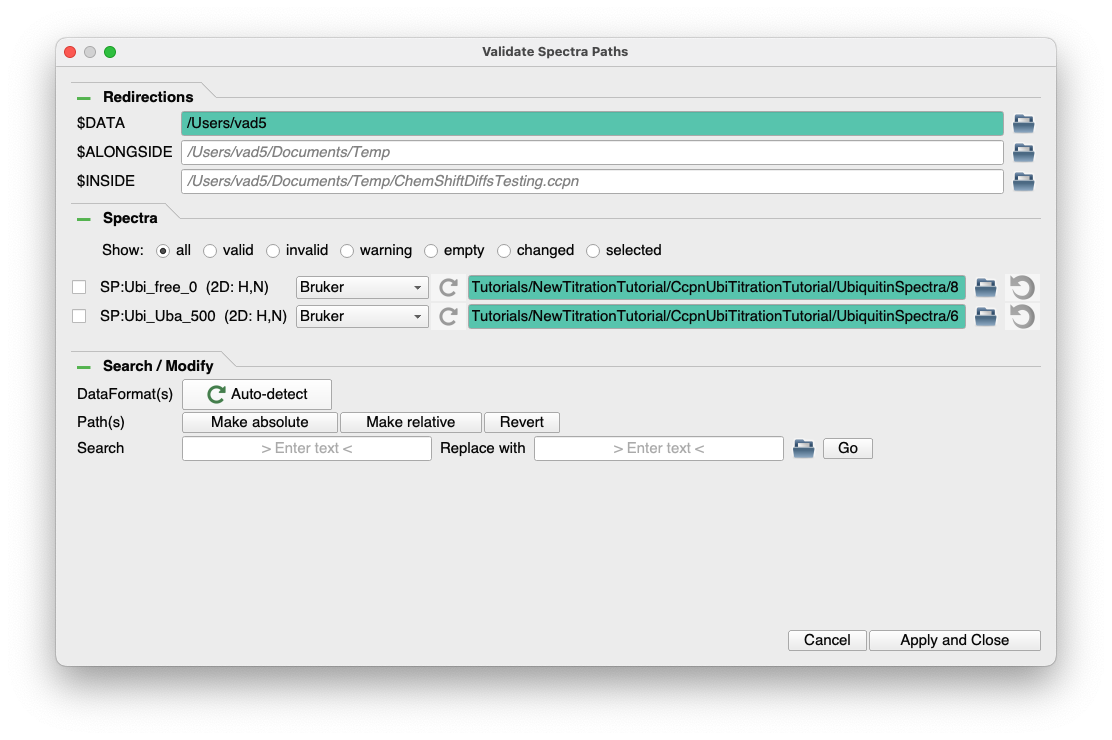
For portability of projects it’s handy to use one of the environment variable like definitions to define the root of your data directories/folders in the spectrum paths. Then changing locations is much simpler as only the definition of the $DATA (or one of the others) variable has to be changed. Try the VP shortcut to access the validate paths dialog for this.
Normally there is a pop up that advises you of spectra whose paths are incorrect and which encourages you to visit the VP popup to fix them.
Your colleague will need to be able to read a copy of the spectra somewhere to be able to display contours.
My recommendation for your situation would be that you each have a copy of the spectra, identically processed, in a directory adjacent to your .ccpn project folder. You use one of the variables definitions ($ALONGSIDE for example) to point to this directory and simplify your spectra paths. When exchanging a version of the project be sure to archive it first so that you can easily revert to a safe version - ideally you should only have to exchange the relevant file from the archives directory and restore from it.
If you can’t get it to work for you send us the project (no spectra) at support @ ccpn.ac.uk and drop a copy at the transfer.gla.ac.uk site for me to pick up since many of the team are at meetings, etc. this week.
Brian Smith
Hi Justin,
just to follow up on what @bosmith wrote:
In the Validate Spectra pop-up it is worth opening up the Search / Modify tab which will enable you to tick all your spectra (if you start Searching for something in the path belonging to all spectra, it will automatically tick all spectra) and Make relative in one go - very quick and easy and you won’t have to start messing around around with the $ALONGSIDE variable yourself etc.
If you colleague has the spectra in the same relative place to the project everything will open up without problems. If not, then as Brian wrote, they will need to open this dialogue and put in the correct paths. Hopefully the Search and Replace will make this quick and easy, too.
Obviously there shouldn’t be a crash when the permissions are wrong, so we’ll look into that one.
Vicky
Hi Brian, Hi Vicky.
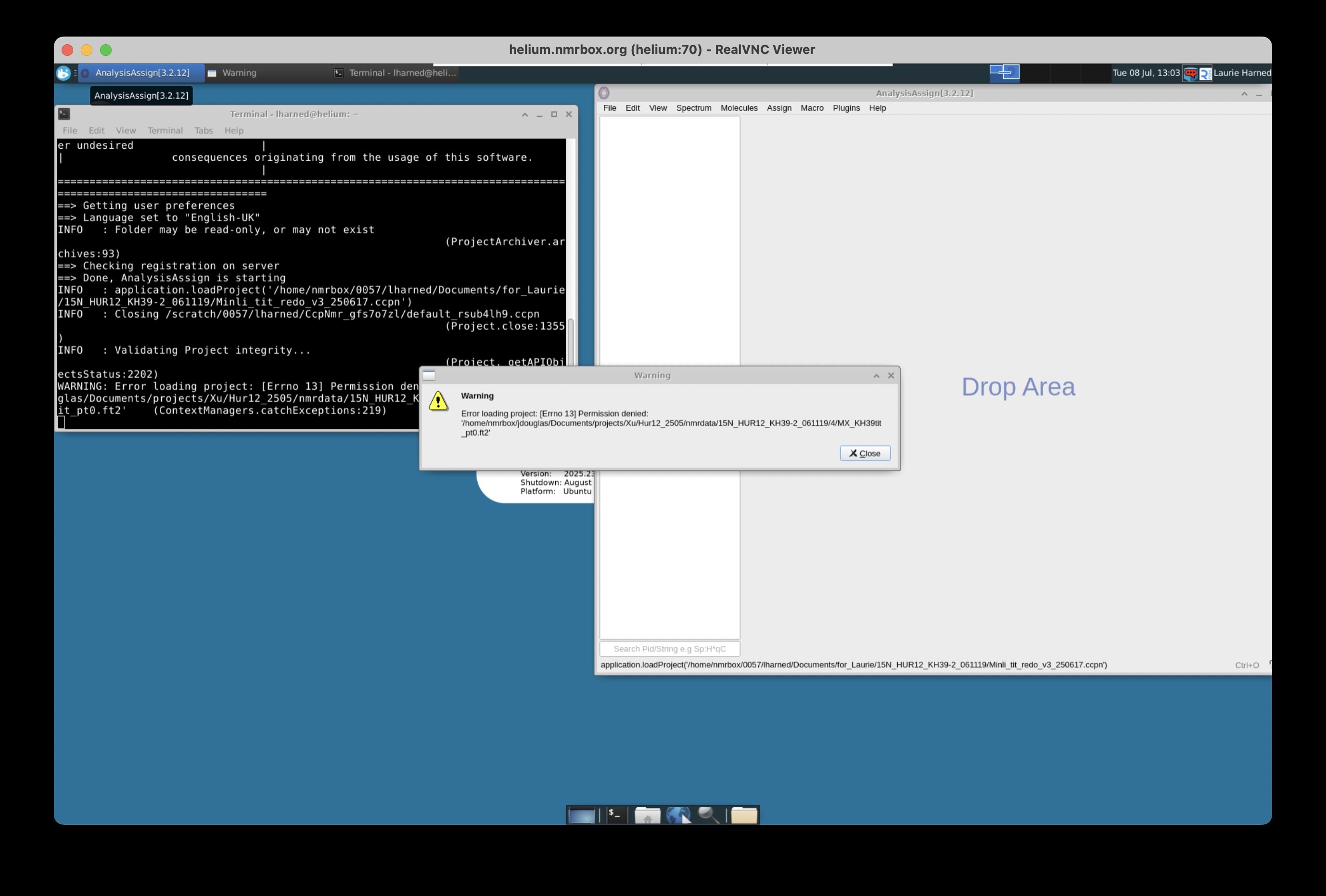
To answer your questions. Yes, my colleague can open and use Analysis v3 on NMRbox to do other tasks. As far as the traceback - I’ve attached screenshots from NMRBox VNC viewer. When my coworker opens the project, she gets the following error message -
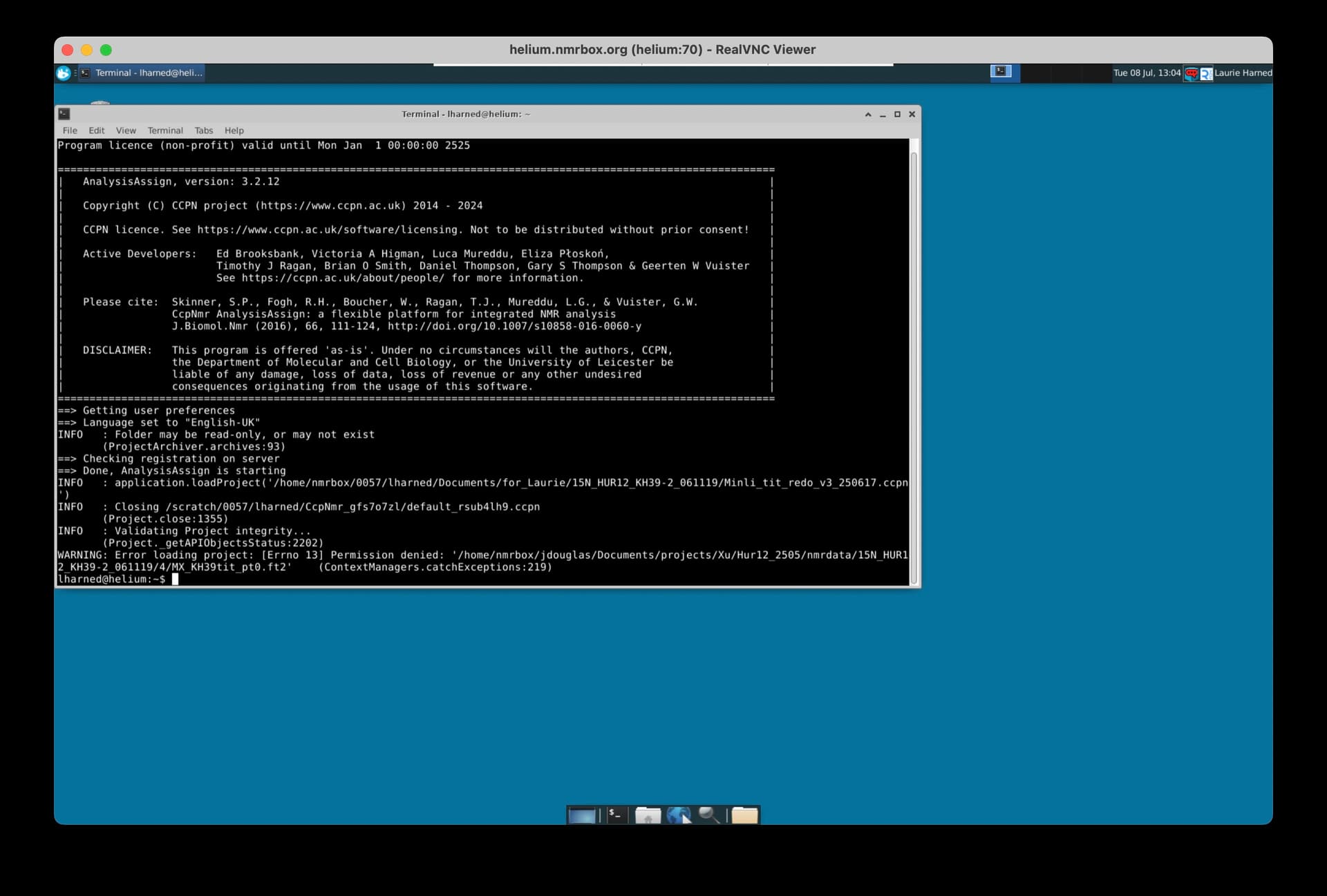
Then Analysis crashes. The command line can be seen in the screenshot below -
The important message is "Error loading project: [Errno 13] Permission denied " The path back to the spectrum in my account.
As Brian suggests, I have also given my coworker copies of the spectra in a file structure identical to how it is saved in my account. She has the data. The problem from my perspective is that Analysis crashes before she can get to the validate spectra popup. Regarding the definition of an environment variable (e.g. $DATA), I could do this, but I guess I’d have to also edit the text files in $CCPN_v3_proj.ccpn/state/spectra/*.json to reflect the environment variable?
I can send the project, but I’m guessing this is a specific NMRBox problem. I can share on that platform if you are interested. I wonder if you could replicate the behavior in any given v3 project by removing read permissions from a spectrum file?
Thanks for your time. I’m an old V1 and V2 user, just getting my feet wet with V3. I’m impressed with what I’ve seen.
Justin
Hi Justin,
I’ll see if I can replicate this issue with a colleague and get the permissions thing sorted.
Using relative paths would definitely be the best way to get around this for the moment, but it means keeping your project in a directory close your spectra. I typically have a folder, ProteinX, with my ccpn project in it and a data subfolder for the spectra. In this situation you can just use the Make relative option which will use the $ALONGSIDE variable and get around having to change any paths when you open the project. But it looks like you have all your data separate from your projects - so it would mean moving your project or spectra to a different location.
One other thought while we sort this out: does it help if you save the project without any spectra being open? It might be that this only occurs when it actually tries to draw contours. This would give you colleague a chance to change the paths before it crashes.
Great to hear that you are liking V3 so far. It’s a bit of a change from V2 and there are still features here and there which haven’t yet been ported. But I was amazed how quickly I loved the new setup when I first started using it.
Vicky