Possibly the easiest and most flexible to my eye is to use the sparky to nef importers in NEF-Pipelines and import files that way. There may also somewhere be a sparky project importer, but haven’t worked with that.
The sparky to nef functions provide support for sequences, shifts and peaks. If you want more help don’t hesitate to ask.i will send on some example conversions with the test inside the program in a little while
regards
Gary
Dr Gary S Thompson NMR Facility Manager
CCPN CoI & Working Group Member
Wellcome Trust Biomolecular NMR Facility
School of Natural Sciences
University of Kent, Canterbury, Kent, England, CT2 7NZ
Thank for your suggestion. This NEF format will transfer seq/shifts/peaks but will not associate them to any spectrum, right? You have to load the spectra one by one then, right?
have you tried to just drop the Sparky project in Ccpnmr? they are supported natively. If not loading, or missing data, please send the project to support@ccpn.ac.uk
thanks
in that version, probably Poky files are not recognised because the header is slightly different.
try removing “by poky!”:
Open the file in a text editor, change the first line:
> From:
>
> <sparky project file by poky!>
>
> To
>
> <sparky project file>
and load again via drag and drop.
There is no need of external conversion to NEF. Loading a Sparky project is a supported built-in functionality.
The transfer has stopped for every mismatch between NmrResidues already created and those newly created.
I am about to suppress all bad assignments in my .prof file.
Ok that’s good. Note the advantage of the pipelines route is you can edit the NEF files to clear up bad assignment names etc before you put them into ccpn…
regards
Gary
Dr Gary S Thompson NMR Facility Manager
CCPN CoI & Working Group Member
Wellcome Trust Biomolecular NMR Facility
School of Natural Sciences
University of Kent, Canterbury, Kent, England, CT2 7NZ
Ok sounds like you know what your doing, nmrpipe and sparky are both a bit of a minefield on naming things because as far as I understand it you can call anything almost anything. Because you get nef files it sometime makes it easier to clean up things.
Glad you got it going and the ccpn converter behaved itself. As we read in sparky files there should really be an import sparky under the import menu…. I will raise it or modify accordingly
regards
Gary
Dr Gary S Thompson NMR Facility Manager
CCPN CoI & Working Group Member
Wellcome Trust Biomolecular NMR Facility
School of Natural Sciences
University of Kent, Canterbury, Kent, England, CT2 7NZ
Unfortunately, the transfer did not retain the offsets applied to my spectra in Poky; as a consequence, the peaks no longer match the signal.
Here is the mean I wrote to shift the peaks back onto the NMR signal and re-shift the whole spectrum/peaks according to Poky offsets:
print([spectrum for spectrum in project.spectra]) ##to select the right spectrum
delta_per_axis = [1.343, -0.044,-1.333] #set your shift here
spectrum = project.spectra
for peakList in spectrum[0].peakLists: #choose the right number according to the spectrum list
    for peak in peakList.peaks:
        ppm = tuple([p + v for p, v in zip(peak.ppmPositions, delta_per_axis)])
        peak.ppmPositions = ppm # shift all peaks back on signals
# shift peaks+spectrum according to poky offsets
spectrum[0].referenceValues = tuple(
        ref - d for ref, d in zip(spectrum[0].referenceValues, delta_per_axis)
    )
Indeed, I tried to extract the offsets from the .save file unsuccessfully… I will explore more, because if I can find where it is, maybe a quick edit to the poky project transfer would be easy to do.
Can you share a project with us [we won’t pass it on to anyone obviously]? It would be good to have a recent example of a poky project…
regards
Gary
Dr Gary S Thompson NMR Facility Manager
CCPN CoI & Working Group Member
Wellcome Trust Biomolecular NMR Facility
School of Natural Sciences
University of Kent, Canterbury, Kent, England, CT2 7NZ
Well it is difficult cause my .save are in the raw data folder.
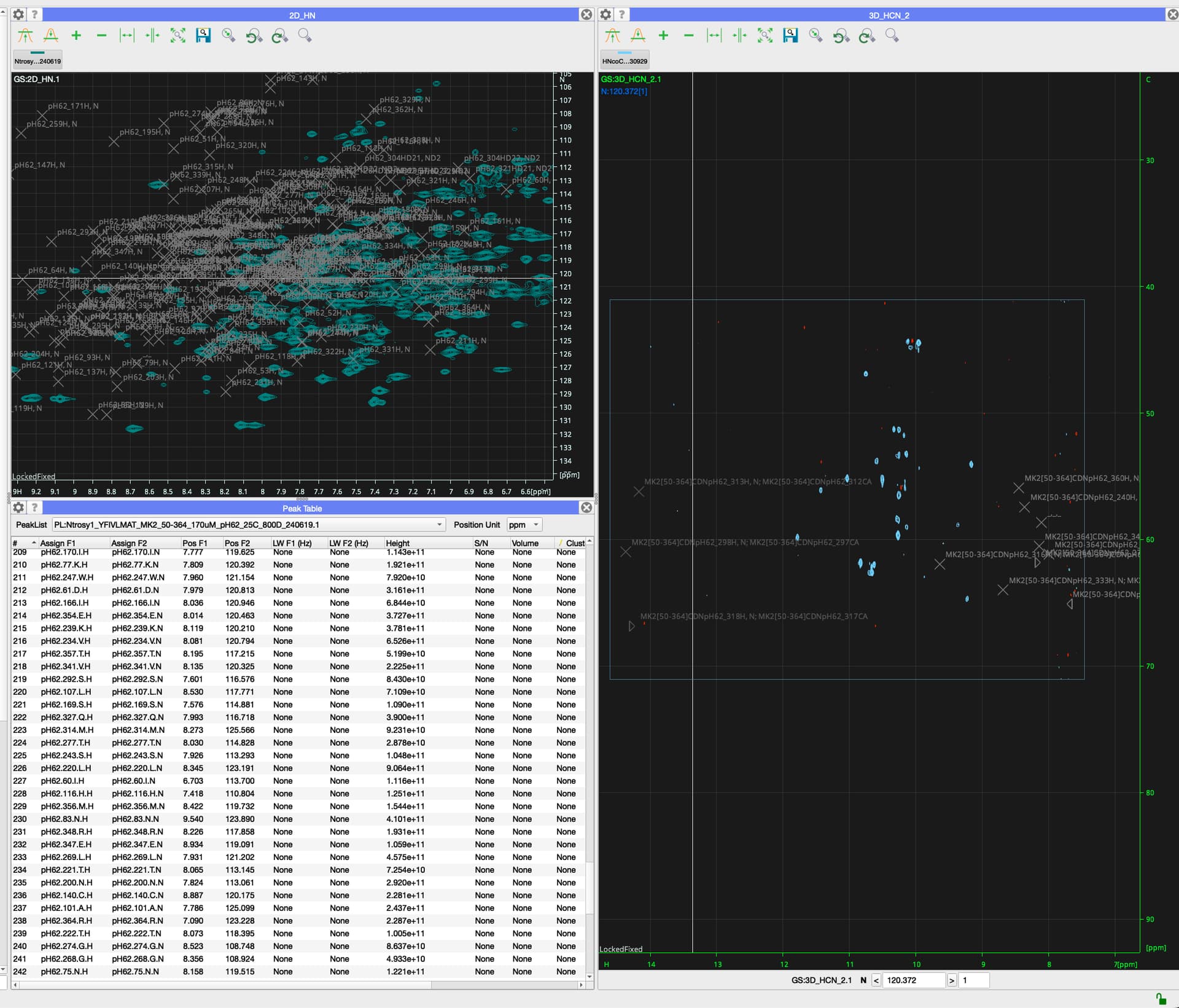
Please see the picture for the mess: most of my spectra did not match their peaks, and many peaks no longer loaded (though they are all well assigned according to IUPAC rules).
 :01227 82 7117
 :
: